


Kasenti
For shops that are not VAT registered, or pay turnover tax.
K300a month for the first till, then K200 a month for each extra till
Tills
Hosting
Kasenti Cloud is K150 a month per shop: backups, updates and monitoring.
Your totalK450 a month
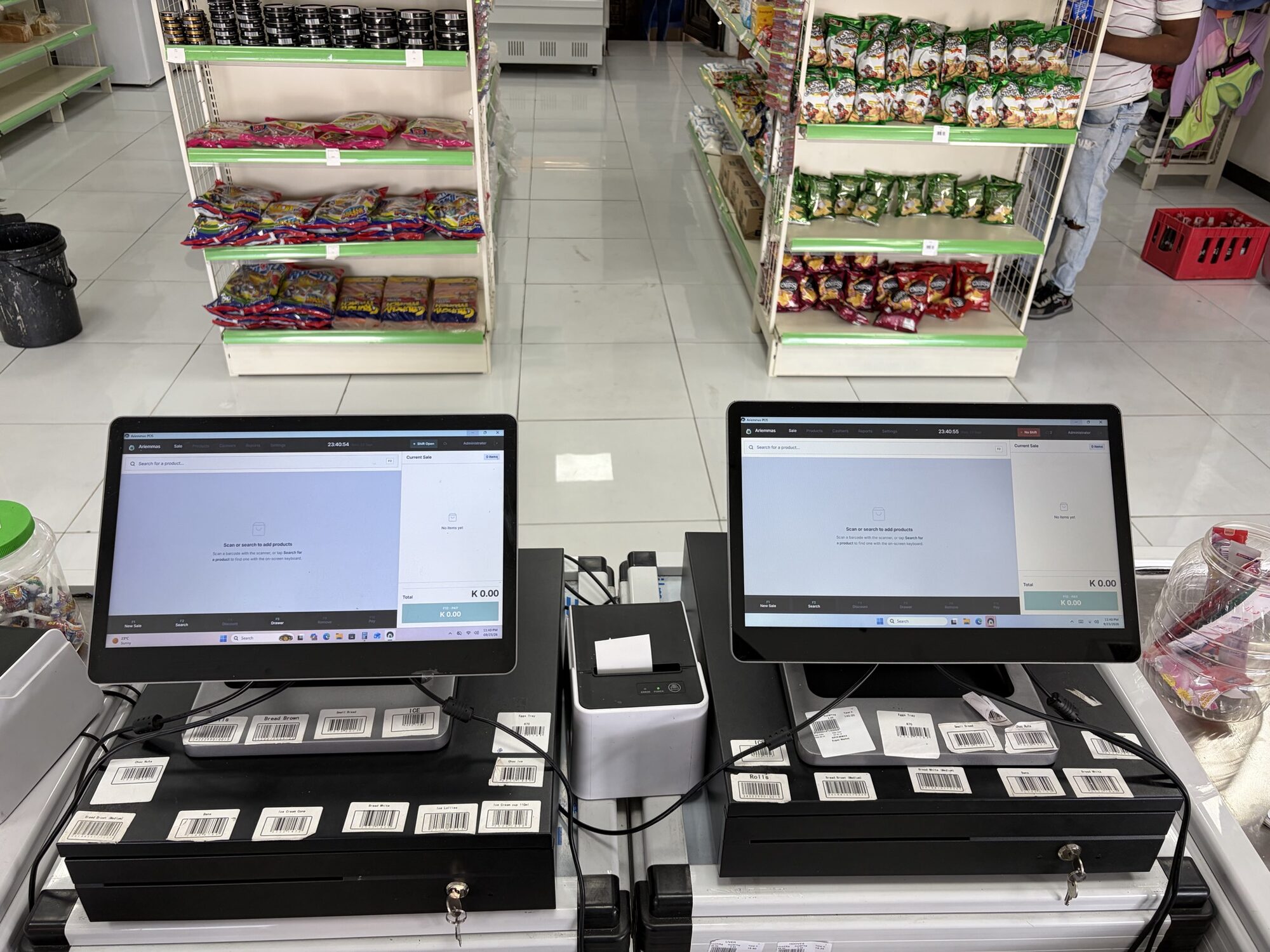
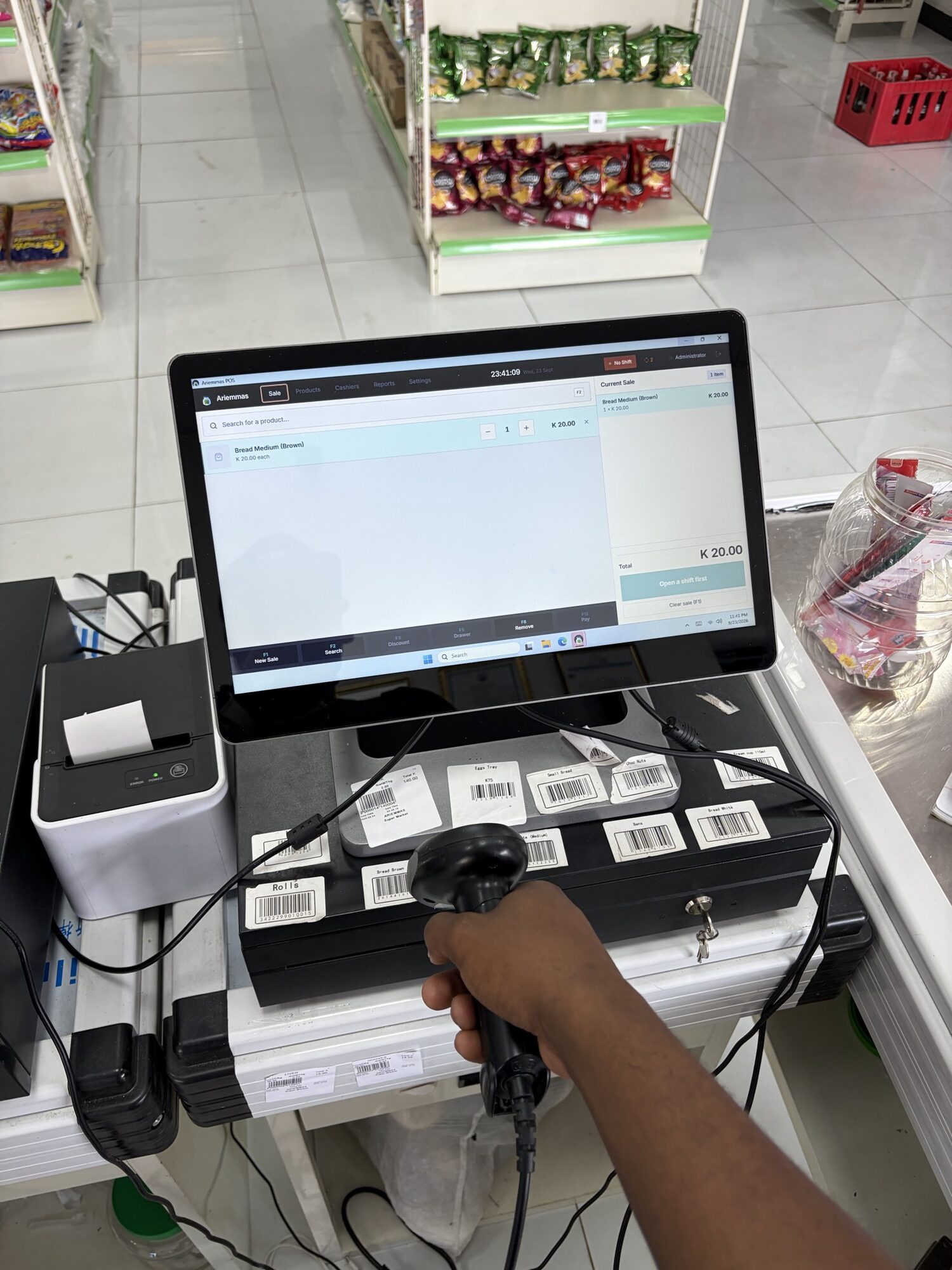
Running today in a supermarket and butchery in Mongu, Western Province, with tills, barcode scanners, receipt printers, cash drawers and a label scale for the meat counter. The owner runs it from abroad.
The power-cut test
Kasenti keeps the whole shop on the till, not on the internet. Scroll through an evening at the counter.
 SaleProductsReportsOffline, still selling
An example evening. The till and its printer need power, so we fit a small UPS. The internet is only needed to send sales to the cloud and for the owner’s view.
The till runs on a small UPS. The internet is down, so the sync chip turns to "Offline, still selling".
Every sale is saved on the till itself, the receipt prints and the drawer opens. Each one waits to be sent.
A refund is recorded against the original receipt, with a reason, and printed for the customer. It waits with the rest.
The till sends every waiting sale and refund to the cloud on its own. The owner sees the whole evening in the back office.
The counter
Kasenti drives the hardware a busy shop already has. This is the counter in Mongu, as it is today.
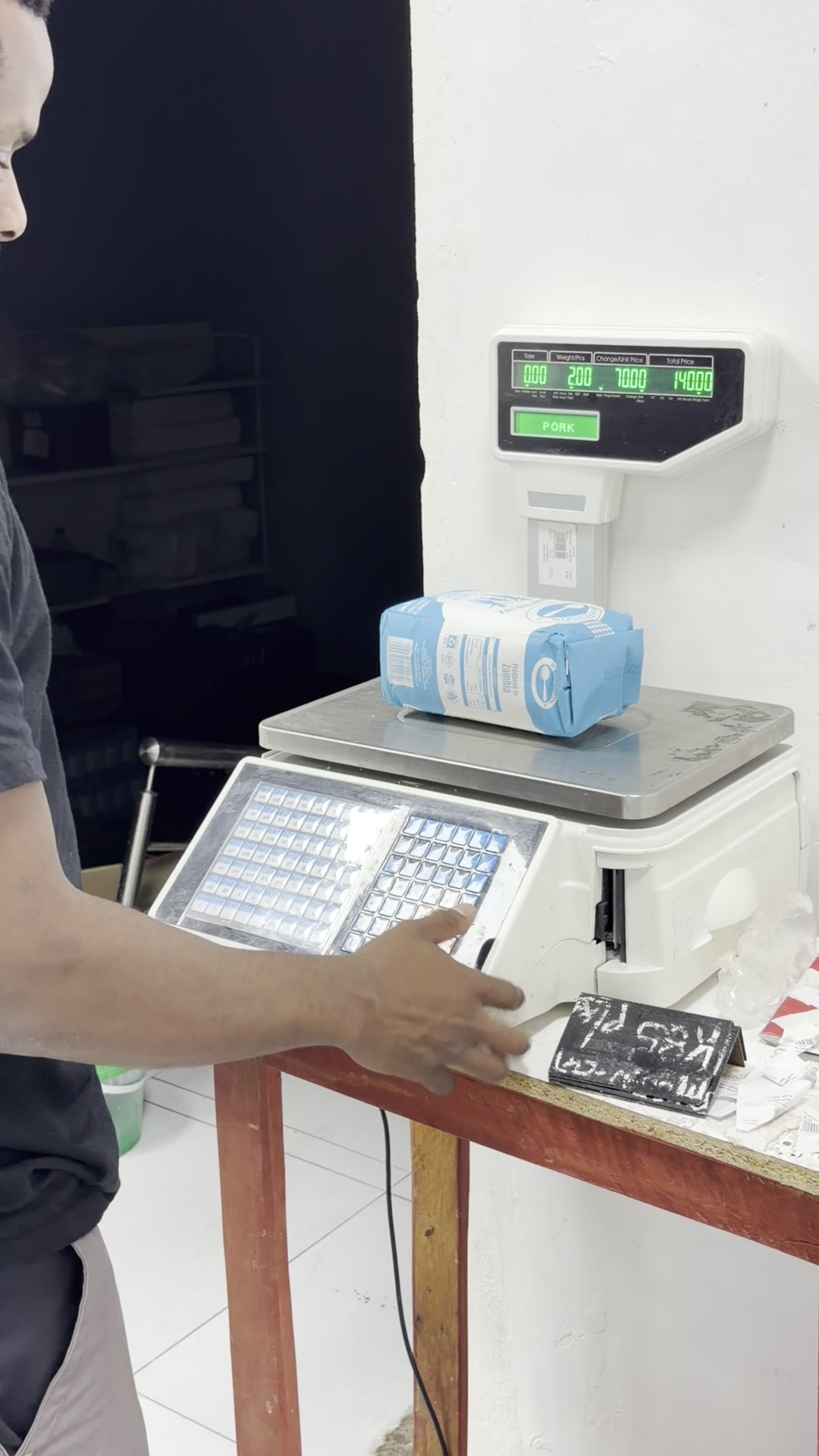
 Label scaleAt the meat and vegetable counter. It weighs, prints a barcode label, and the till reads the weight and price from it.
Weighed goods
Meat, vegetables and anything sold by weight go over the label scale. The cashier scans the label and the item, weight and price land on the sale. Nobody types a number.
Read correctly from the label scale in Mongu. Other makers’ label layouts, including weight-in-the-barcode labels, are supported too.
Tap the parts of the label.
 Beef, topside1.250 kg at K130.00 / kgK 162.50
Inside Kasenti
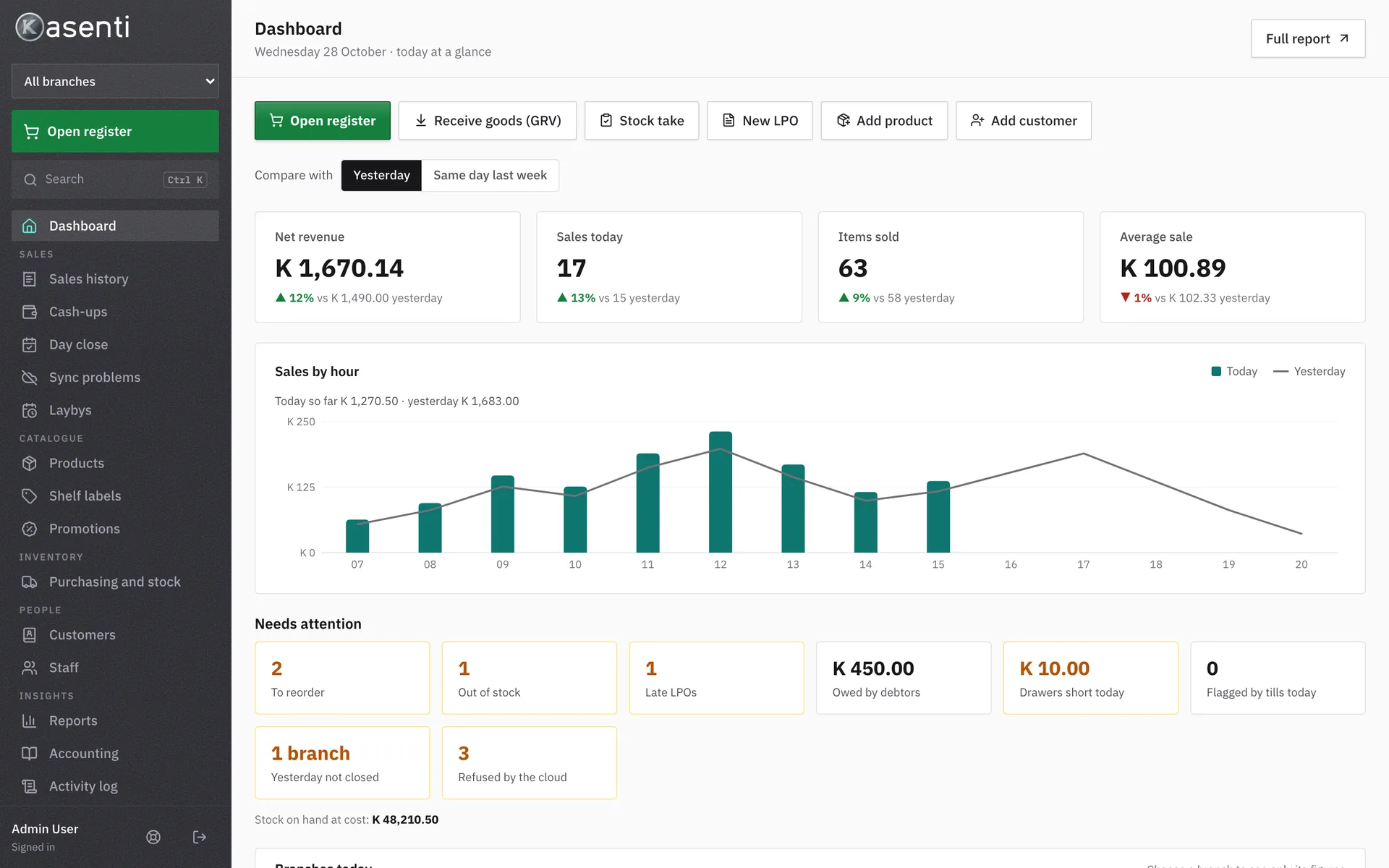
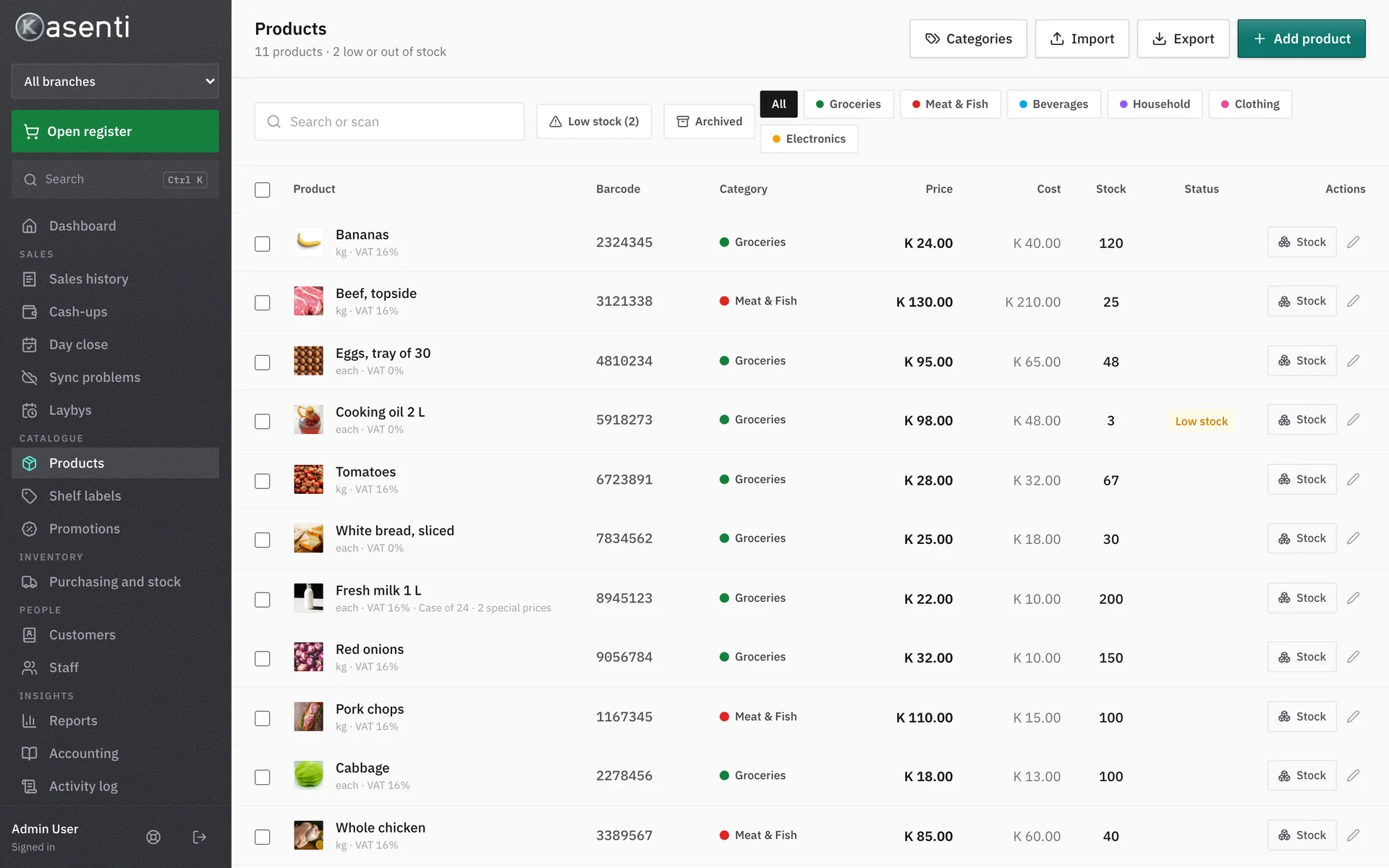
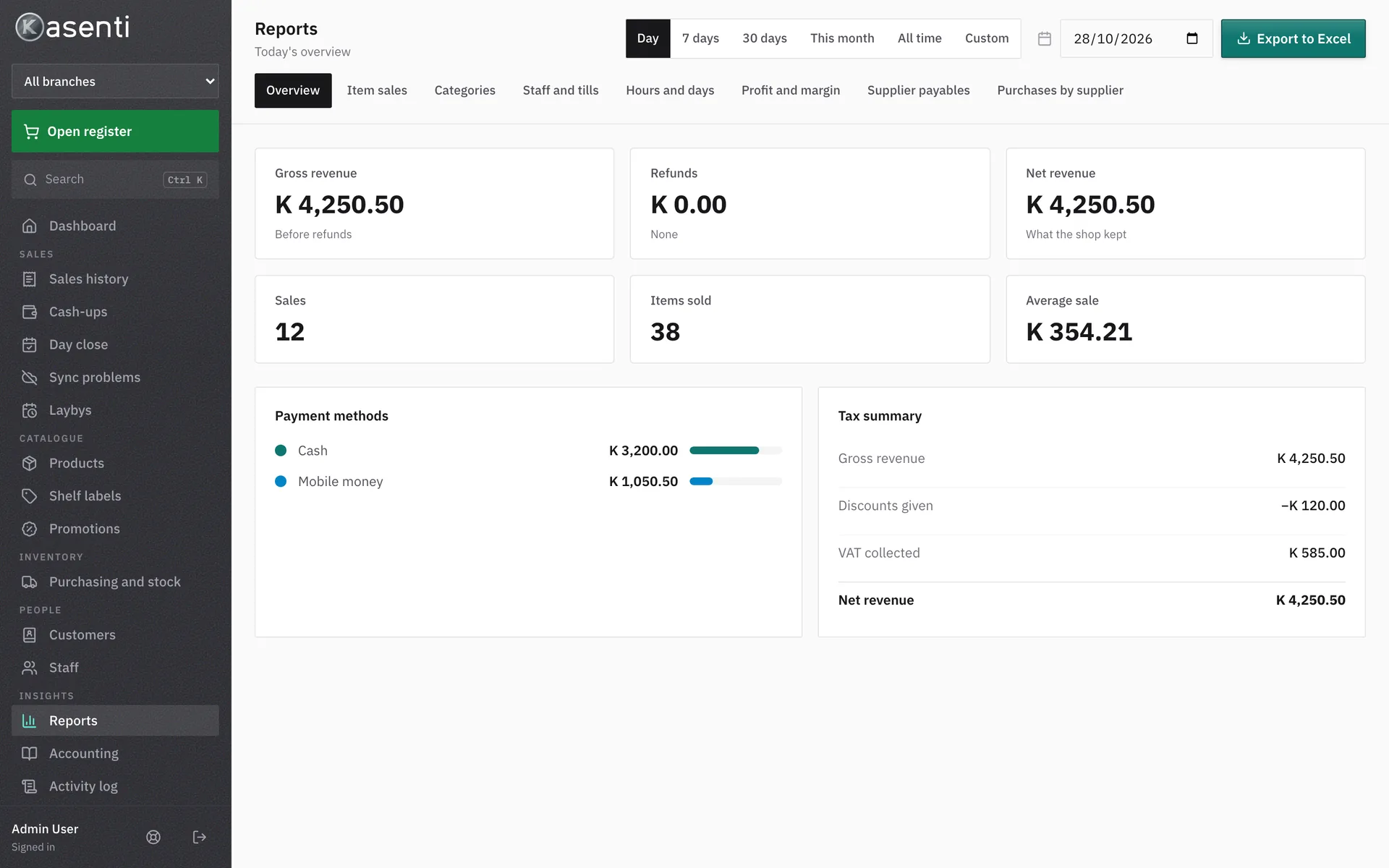
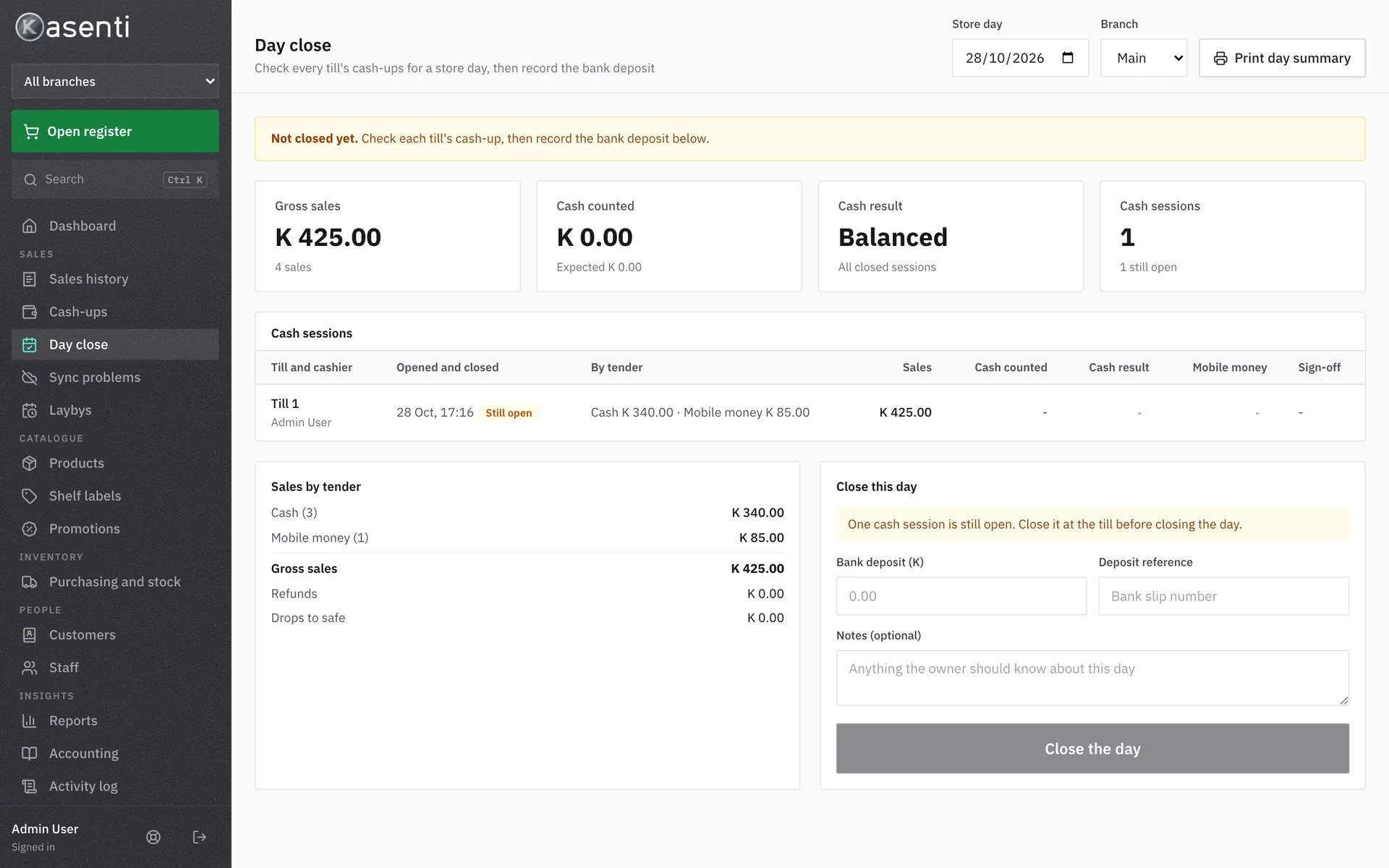
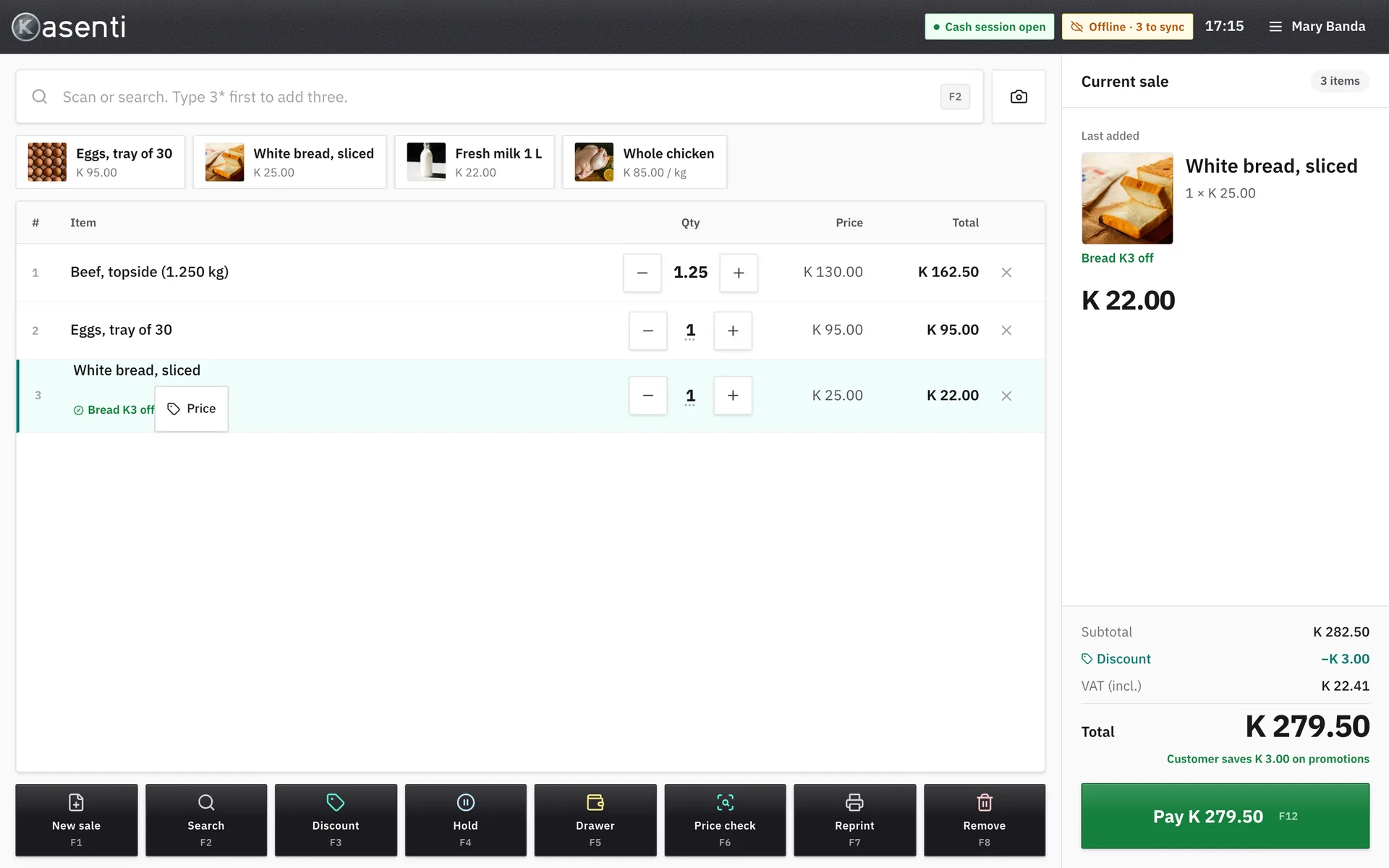
Real screens from Kasenti, filled with a demo shop’s products and figures.
For the owner
The Mongu shop is run by an owner who lives abroad. The back office shows every till, every branch and every shift from a browser, and the day closes with a Z report that has to balance.
See it work
Weigh, scan, pay, print. Then the same sale in the back office. No sound needed: everything is captioned.
Pricing
Try it free for 30 days on up to 3 tills, with every feature and no payment details. Then pay monthly, or yearly and get two months free.
For shops that are not VAT registered, or pay turnover tax.
Kasenti Cloud is K150 a month per shop: backups, updates and monitoring.
Everything in Kasenti, plus ZRA Smart Invoice for VAT-registered shops.
On sale once Kasenti is certified by ZRA. We are working on certification and will not sell it before then.
Tell me when it’s readyPrices are in Zambian kwacha. No VAT is charged: Fluxium Tech Business is not VAT registered. Till hardware is separate: use what you have, or ask us what to buy. If a payment is late, the tills keep selling.
Questions
The till keeps selling. Sales, refunds, receipts and the cash drawer all work on the till itself, and every sale is sent to the cloud once the internet is back. The till and the printer need power, so we recommend a small UPS.
Windows tills with a touch screen, USB barcode scanners, 80 mm ESC/POS receipt printers (tested with the PD-POS806UE), cash drawers that open from the printer, and label scales that print weight barcodes. Tell us what you have and we will check it before you start.
Yes. Save your list from Excel as a CSV file and import it on the Products page. There is a template to start from, and you can export the whole catalogue the same way.
Not yet. We are working on certification. Kasenti Smart, the plan for VAT-registered shops, goes on sale only once Kasenti is certified.
Each till keeps its own copy of what it needs to sell, and sends its sales to your back office. Products and prices you change in the back office reach every till. A second branch is included in every plan.
We send an invoice each month, or each year if you choose yearly. The payment details are on the invoice.
The tills never stop selling, printing or syncing, and you can always export your own data. After a grace period, only back-office editing pauses until the invoice is paid.
We can set it up with you, import your products and show your cashiers the till. The first 30 days are free on up to 3 tills. Email hello@kasenti.com to arrange it.
Kasenti started at the till of a family supermarket and butchery in Mongu. We wired the label scale, set up the printers and the drawers, and stood behind the counter while it worked. It still runs that counter today.
Mukela KatunguFounder, Kasenti. Lusaka, Zambia.
Start the free trial
We reply by email. Tell us how many tills you run and what hardware you have, and we’ll set up your 30 days free.